Hi.
Bought the SVID2USB232 very recently. I installed the drivers, regular and TWAIN.
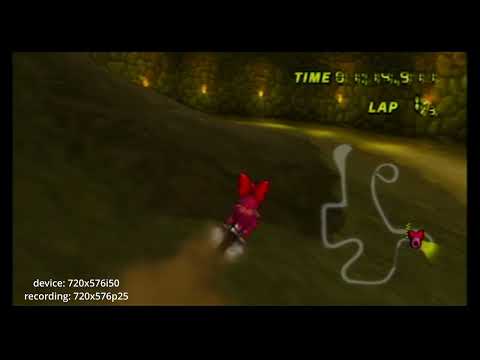
I have my Wii (PAL) plugged into my PC using the USB device. At PAL 576i50 the colors and general image looks great on OBS after minor tweaks, though the framerate is stuttering. (Duplicate frames)
But also, when I use the PAL 60 option in the Properties, I get the wrong colors, green and red alternating lines aswell as duplicate frames.
Theres a significant DC offset in the audio, aswell as a hard clip that happens when using the USB device. Input levels didn’t change anything, so I went and bought an adapter which worked perfectly.
Playlist with 3 video examples:
I hope my issues can be resolved, at least the visual related ones.
Thank you for taking the time to post on the Startech.com Community.
I am sorry to hear you are experiencing trouble with our SVID2USB232.
Unfortunately, we are not able to assist with troubleshooting third party software such as OBS and can only support the Movavi software that we include with the product. The software can be downloaded from our product page here and would recommend testing with it. I would also suggest testing a capture from a different video source to see if you experience the same problems with a source other than the Wii you mentioned.
If you continue to have issues when using Movavi, Due to the complexity of the product we request to reach out to our support team via phone or live chat: https://www.startech.com/en-us/support. Live interactions through phone or live chat allow us to better understand what is happening, allowing us to provide the best support and can often have a quicker turnaround to a resolution.
Hello, I installed Movavi from the included CD I got with the USB device.
I recorded footage using Movavi, made sure to do PAL 60 and correct resolution.
Same color issues on 480i60. I do not have another device that outputs PAL 60.
I deinterlaced the video and used ProRes, so near lossless. At least every other frame was correct color-wise. Video shows a clip at 10% speed, flashing colors.
Framerate was good this time, no duplicate ones. This might have been because I misinterpreted that PAL 60 was 60 fields per second, when it was actually 59.94, like NTSC.
I recorded 576i50 again and still got duplicate frames.
The audio still had a significant DC offset aswell as being too loud and therefore clips. It was slightly different this time.
There are no logically obvious options to change encoding or format for either video or audio. I am not satisfied with the video and audio quality that Movavi outputs by default in these recordings.
Can I please ask the make and model of your computer, as well as what operating system you are using SVID2USB232 with?
I understand that you do not have another video source to try capturing from, though is there a different computer you could try perhaps to see if another computer experiences the same behavior?
I have now tested using my laptop
I made a video with details for easier timeline understanding and whatnot.
I still don’t know if I can change recording settings in Movavi. I’d prefer something that could either do deinterlacing on the fly or record interlaced video, like OBS or VirtualDub. Not to mention I can’t find any settings for recording quality, encoders or formats.